

Spirit by Dev-Team Hacking iPad, iPhone or iPod touch with firmware - 3.1.2, 3.1.3 or 3.2

Today, the famous team of hackers Dev-Team
Released its utility for Jailbreak under the name - Spirit (Spirit)!
It really works!
And he also does not tied up hacking - i.e. No longer will you have to connect your iPhone or iPod to your computer every time to continue working.
The whole process took less than 3 seconds on my iPod Touch. Then only download additional. Programs (Cydia) directly from the phone. I want to note, there is a version for both Mac and Windows.
If you expected this - run and try! It's really worth it: beautiful themes without OS 4.0, free games and many other advantages. Maybe Flush will be there!
PS If you are currently using a tethered jailbreak, you need to make a "restore", and then use the Spirit.
 Official website: http://spiritjb.com
Blog Dev-Team: http://blog.iphone-dev.org
Official website: http://spiritjb.com
Blog Dev-Team: http://blog.iphone-dev.org
Screenshot of the work on the Mac:
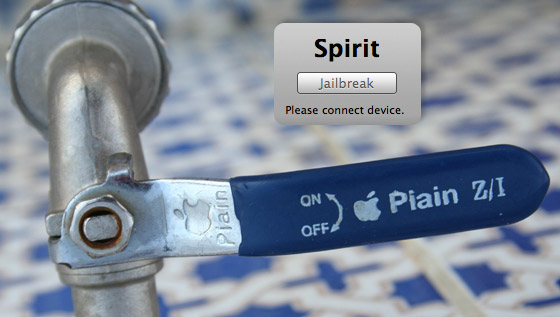
The new utility Spirit !, it can do untethered jailbreak of all generations of iPhone, iPod Touch and iPad with firmware 3.1.2, 3.1.3 and 3.2.
Everything is very simple, follow these steps and you will have a full device with Cydia installed:
- Download Spirit! For its operating system:
 Spirit for Windows [
  ] [
] [  ] Spirit for Mac OS [ ] [ ]
 - Since a new device appeared in the line - the iPad, we divide the items:
- For iPad: Connect the device to the computer. If it's not activated yet, wait until the desktop lights up
- For iPhone and iTouch: Connect the device to the computer. If you used to be tied jailbreak, then restore through iTunes to 3.1.3 and activate it
- Run Spirit and click on jailbreak
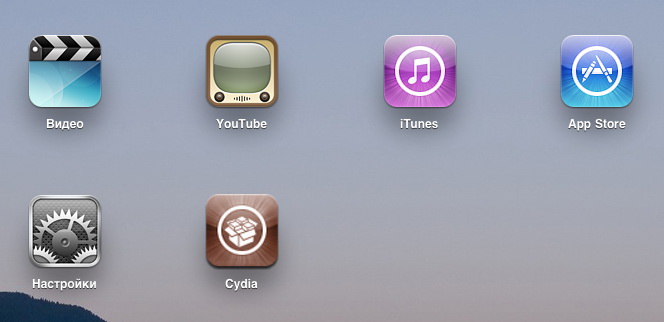
- The process of jailbreak will begin and after a few seconds your device will reboot
- After power on, you will see the Cydia icon on the desktop.

The bug is fixed:
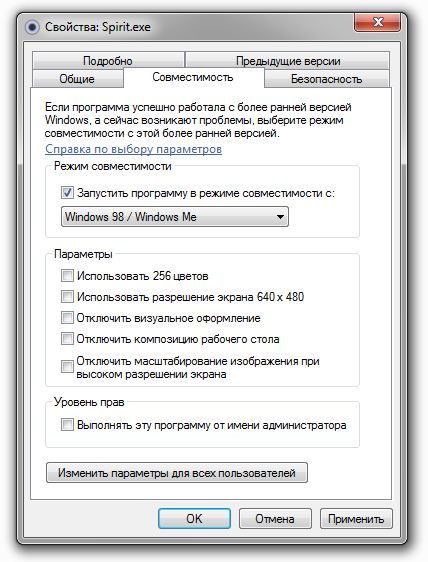
After that, everything will work as it should!
Another important point: After installing this jailbreak, access to the file system via the file manager is still closed. In order to gain access to the phone from the computer, you need to install from Cydia one small patch - afc2add , after the reboot the access will open.





Comments
Commenting on, remember that the content and tone of your message can hurt the feelings of real people, show respect and tolerance to your interlocutors even if you do not share their opinion, your behavior in the conditions of freedom of expression and anonymity provided by the Internet, changes Not only virtual, but also the real world. All comments are hidden from the index, spam is controlled.